 BERNINA Embroidery Software provides many artistic effects to create textured and curved stitching, color blending, and warping or ‘morphing’ stitching effects.
BERNINA Embroidery Software provides many artistic effects to create textured and curved stitching, color blending, and warping or ‘morphing’ stitching effects.
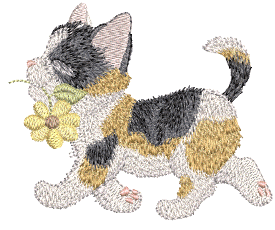
Use Textured Edge to add rough edges to objects, create shading effects, or imitate fur or other fluffy textures in your design.
Star Fill generates radial turning stitching in several stitch types such as Satin and Step stitch.
Wave Fill lets you contour fill stitches along a digitized guideline. Stitches follow the line but maintain uniform density and needle penetration patterns.
Pattern fills can be enhanced with 3D Globe Effect. The effect can also be applied to Candlewicking and Lacework fills.
Use Color Blending to create different shading, perspective, three-dimensional and color effects by blending two colored layers in an embroidery object. The Morphing feature allows you to transform object outlines and stitches in a variety of novel and interesting ways.
This section shows you how to apply artistic stitch effects to embroidery objects, and how to adjust their settings to get the best results.