Use Digitize > Open Object to digitize open embroidery objects.

Use Digitize > Closed Object to digitize closed embroidery objects.
|
|
Use Digitize > Open Object to digitize open embroidery objects. |
|
|
Use Digitize > Closed Object to digitize closed embroidery objects. |
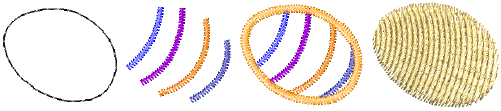
Open Object places a row of stitches along a digitized line. This tool is typically used to add borders to designs. Digitize complex shapes with the Closed Object tool. Create objects using left and right clicks to mark reference points to form the boundary outlines.
Tip Follow the prompts in the Status Bar to help you digitize. If you make a mistake, press Backspace to delete the last reference point, then continue adding reference points or press Esc to delete all the points so you can start again.