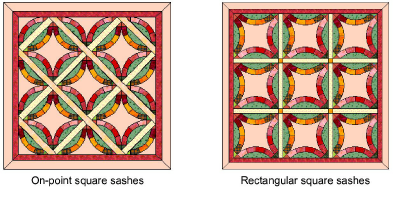
A sash between the blocks can be added and adjusted by:
Changing the width of the sash
Changing the style of the sash
Adding a sash border.
When sashes are added, the quilt size increases to accommodate the sash dimensions. The size of the blocks stays the same.
1Open a quilt design.
2Click the Quilt Layout icon. The Quilt Layout dialog opens.
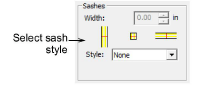
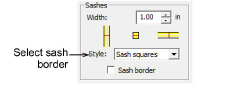
3Select a Sashes style.
The sash styles are different for rectangular and on-point layout.
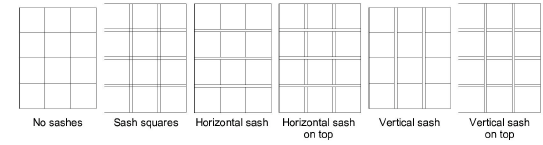
Selection of None hides the Sash Border checkbox.
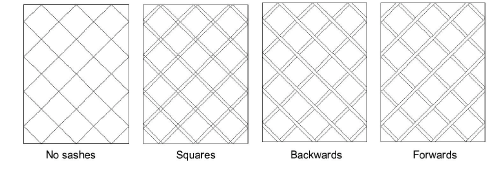
4Select the Sash Border checkbox to add a sash border around the quilt.
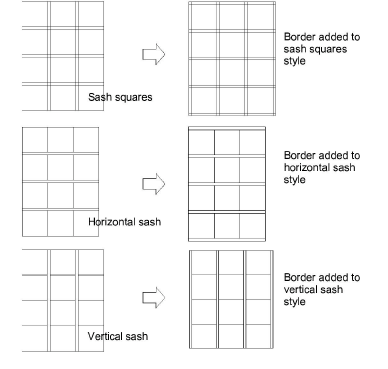
The border reflects the sash style you have chosen – e.g if you have chosen a horizontal sash, the border is added to the top and bottom of the quilt only.
5Click OK.